

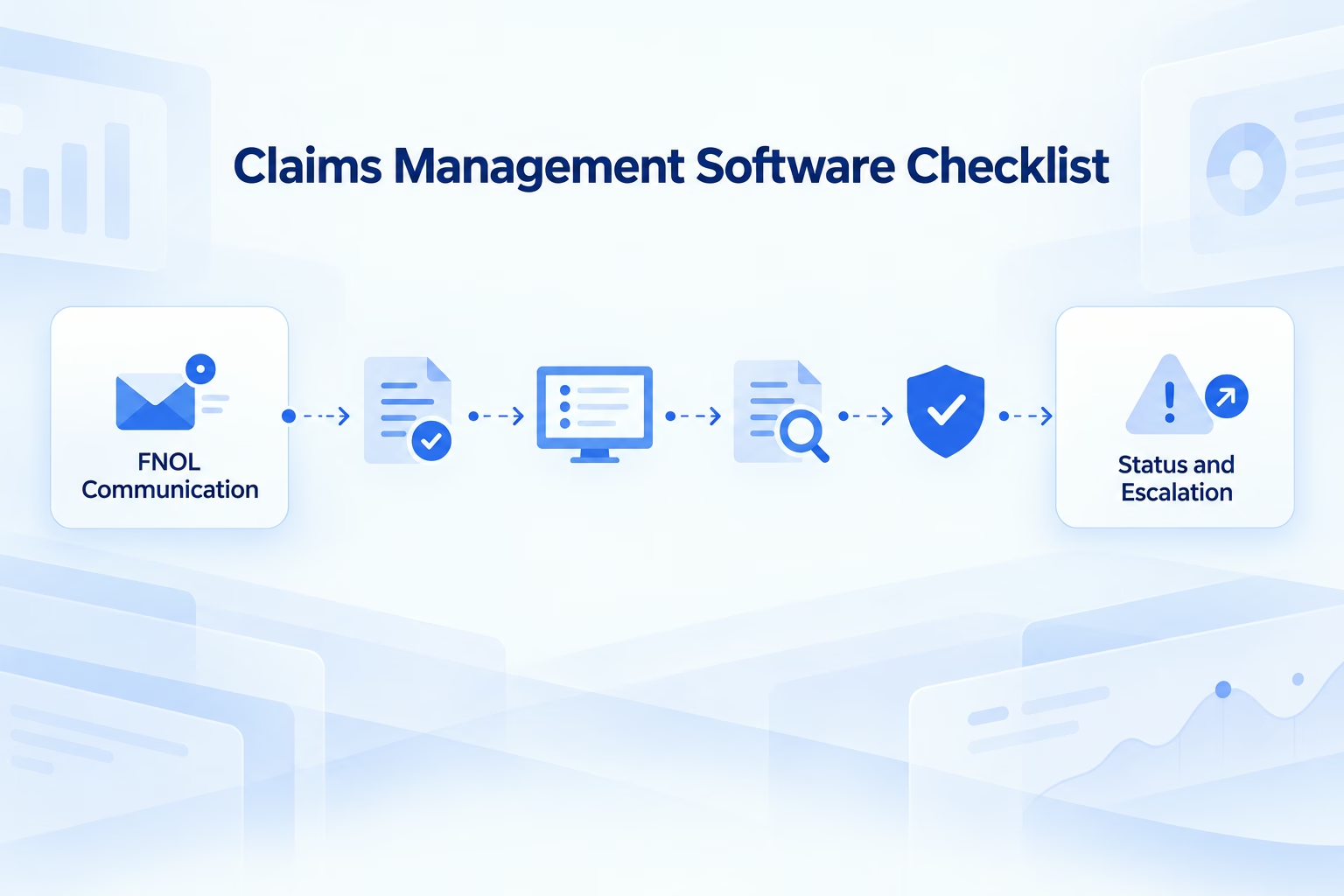
A policyholder reports a motor accident through a contact-center agent. The agent enters the FNOL details, and claims management software creates the claim. The policyholder uploads photographs through a separate portal. Claims management software sends an acknowledgement, but the message does not explain what happens next. An assessor requests another document, but the request remains in an internal work queue.
Three days later, the policyholder calls for an update. The service agent can see the claim number but cannot explain why the assessment is delayed. The customer repeats the incident and resends the document.
The claims management software may be processing the file correctly. The claimant experience is still failing.
Claims management software is often evaluated through internal criteria:
- Workflow configuration
- Claims assignment
- Document storage
- Reserve management
- Settlement processing
- Fraud rules
- Reporting
- Audit history
Customers experience different criteria:
- Was the claim acknowledged?
- Is the next step clear?
- Which document is missing?
- When will the assessment occur?
- Why has the status changed?
- Who can help when the process stalls?
McKinsey’s 2025 report on the future of AI in insurance notes that leading insurers are using AI across multiple communication modes, including chat, images, and voice, to improve customer interactions. A buying decision should therefore test whether claims management software connects operational progress with claimant communication.
Connect claims updates through Callveriq.
What Claims Management Software Should Control
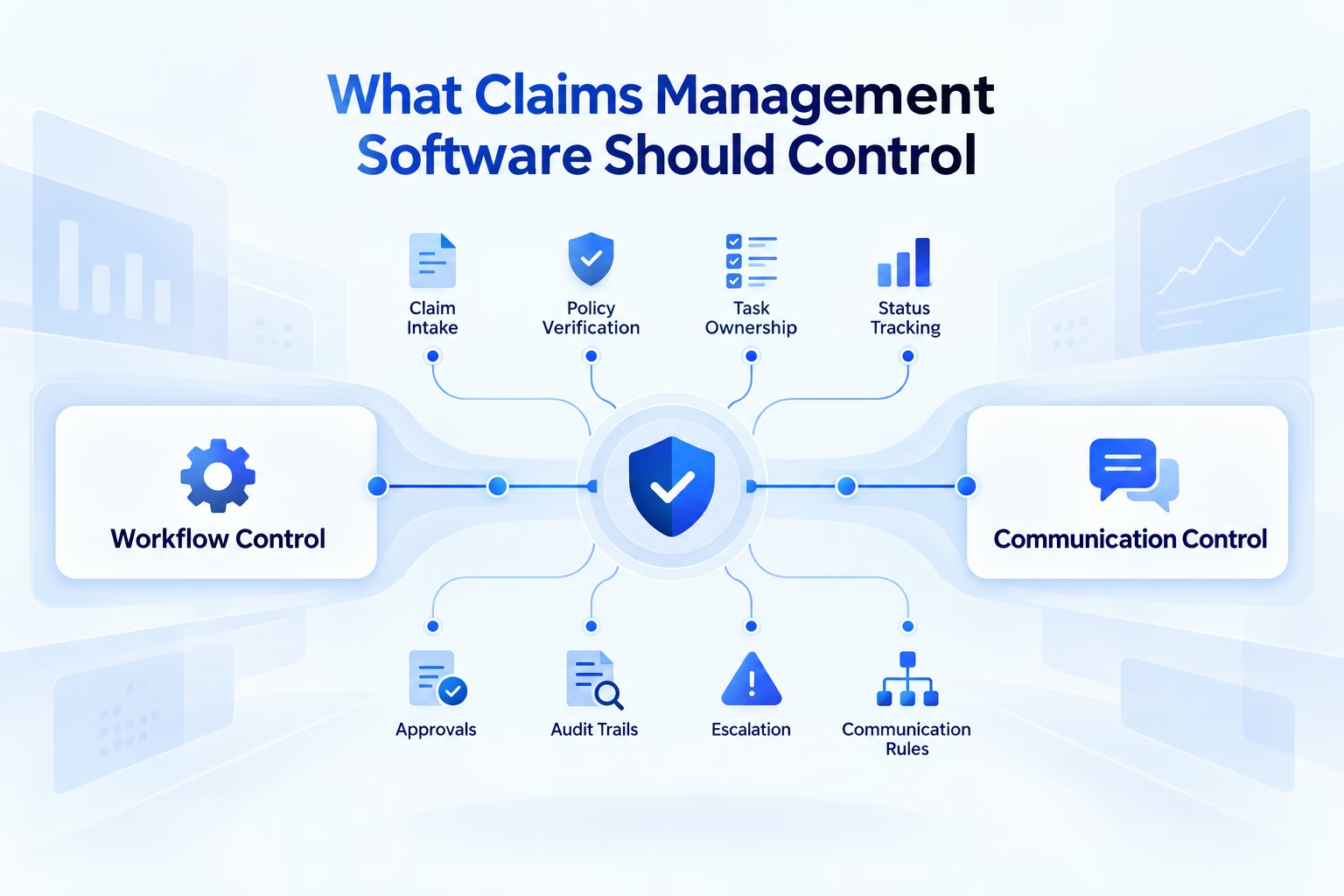
Claims management software is the operational foundation for registering, assessing, assigning, settling, and auditing claims. Effective claims management software should support:
- FNOL intake
- Policy and coverage verification
- Claim creation and reference generation
- Document and evidence management
- Surveyor or assessor assignment
- Reserve and financial authority controls
- Fraud indicators and investigation referrals
- Workflow and service-level management
- Settlement approval
- Payment integration
- Complaint management
- Recovery, subrogation, and salvage
- Reporting and analytics
- Role-based access
- Complete audit histories
Claims management software should provide a consistent chronology of every material event. A handler should be able to see what information was received, which task is pending, who owns the next action, what communication was sent, and whether the claimant responded.
Without this chronology, claims management software becomes a collection of disconnected modules rather than a dependable claims operating system.
| Claims stage | Required claims management software capability |
|---|---|
| FNOL | Structured intake, validation, acknowledgement |
| Coverage review | Policy checks, exclusions, authorization |
| Evidence collection | Documents, images, notes, timestamps |
| Assessment | Assignment, scheduling, reports, approvals |
| Investigation | Fraud indicators, referrals, controlled access |
| Settlement | Calculation, authority, approval, communication |
| Payment | Integration, reconciliation, status updates |
| Closure | Decision record, documents, appeal information |
| Reopening | New evidence, ownership, revised status |
| Audit | Complete chronology and user actions |
The claims management software shortlist should include only platforms that can demonstrate the buyer’s actual claim lifecycle and line-of-business requirements.
Strengthen claims operations using Callveriq.
FNOL Features Buyers Should Evaluate
FNOL quality affects every downstream stage. Incomplete information produces repeated contact, delayed assessment, manual rework, and avoidable leakage. Claims management software should guide FNOL intake without forcing every claimant into the same fixed questionnaire.
1. Omnichannel FNOL Intake
Claims management software should accept FNOL through approved channels such as:
- Contact-center calls
- Mobile applications
- Web forms
- Branches
- Agents or intermediaries
- Messaging channels
- Email ingestion
- Connected partner systems
A claim started in one channel should remain available when the customer continues through another.
2. Dynamic Questioning
Claims management software should adapt questions based on:
- Insurance product
- Claim type
- Incident circumstances
- Earlier responses
- Injury or safety conditions
- Existing evidence
- Policy status
A motor-damage claim, hospitalization claim, travel claim, and property-loss claim should not follow an identical intake path.
3. Policy and Coverage Context
Claims management software should validate the relevant policy and coverage before communicating specific claim requirements.
The system should prevent automated channels from making unsupported statements about approval, liability, settlement, or coverage.
4. Evidence Collection
Claims management software should request, receive, associate, and validate relevant:
- Documents
- Images
- Videos
- Location information
- Incident reports
- Medical records
- Invoices
- Police reports
- Customer declarations
5. Urgency Recognition
Claims management software should identify conditions requiring immediate escalation, such as injury, hospitalization, stranded customers, safety risks, or severe property damage.
| FNOL requirement | Vendor demonstration question |
|---|---|
| Channel support | Can customers report a claim through every approved channel? |
| Dynamic questions | Does intake change according to claim type and responses? |
| Coverage context | Can claims management software verify relevant policy information? |
| Evidence capture | Can evidence be securely requested and associated? |
| Duplicate detection | Can the platform recognize repeated FNOL submissions? |
| Urgency | Can it identify priority and vulnerable-customer conditions? |
| Language | Can the journey use the customer’s preferred language? |
| Confirmation | Does the claimant receive a reference and clear next step? |
| Escalation | Can complex cases reach an authorized employee? |
| Auditability | Are all questions, responses, and timestamps preserved? |
Claims management software should support both assisted and automated FNOL. Conversational AI can collect approved information, clarify incomplete responses, summarize the incident, and escalate exceptions.
Automate approved FNOL conversations with Callveriq.
This blog is just the start.
Unlock the power of Callveriq’s AI with a live demo.

Status Update Features Buyers Should Evaluate
Customers often contact insurers because they do not know what is happening. Claims management software may display a precise internal status such as “surveyor report pending,” but the claimant needs an understandable explanation.
Claims management software should distinguish an internal workflow event from a customer-facing update.
1. Event-Based Notifications
Claims management software should trigger updates after meaningful events instead of sending generic messages on fixed schedules.
Useful events include:
- Claim registration
- Missing-document identification
- Assessment scheduling
- Assessment completion
- Additional review
- Settlement approval
- Payment initiation
- Claim closure
- Claim reopening
2. Clear Next Actions
Every claimant update should explain:
- What changed
- What the claimant must do
- Where the information should be submitted
- When another update can be expected
- How the claimant can request help
3. Communication Consistency
Claims management software should prevent contradictory messages. It should not announce that an assessment is complete if the assessor has reopened the task.
It should also stop document reminders after the required document has been received.
4. Preference and Language Management
Claims management software should use the claimant’s approved communication channel and language preference.
5. Status Self-Service
Claimants should be able to request status without calling an employee, provided appropriate authentication and privacy controls are applied.
| Claims event | Useful customer communication |
|---|---|
| Claim registered | Reference number, next step, response window |
| Document missing | Exact document and submission method |
| Assessment scheduled | Date, time, location, preparation |
| Assessment complete | Confirmation and next review stage |
| Additional review | Information required and support route |
| Settlement approved | Amount, deductions, payment timing |
| Payment initiated | Payment status and reference |
| Claim closed | Decision summary and escalation options |
Salesforce’s 2025 financial-services statistics report that 65% of consumers expect AI to speed up financial transactions, compared with 46% in 2023.
For claims management software, speed should include timely, accurate communication. Faster internal processing has limited customer value when the claimant cannot understand the status.
Deliver clearer claims updates with Callveriq.
Escalation Features Buyers Should Evaluate
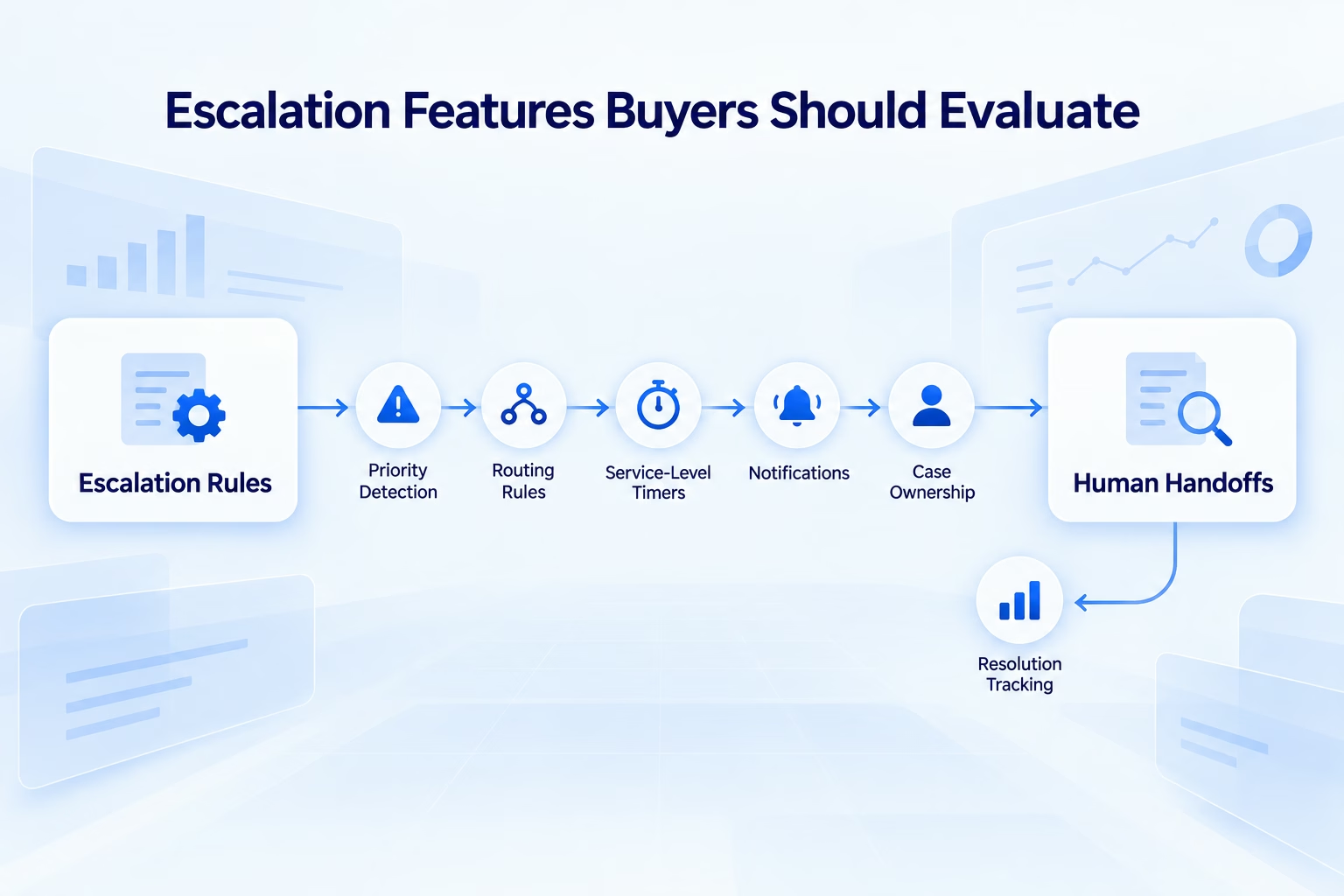
Claims management software should identify and manage operational, financial, customer, and compliance exceptions. A generic “send to supervisor” rule is not adequate for modern claims operations. Claims management software should support escalation based on:
- Claim severity
- Claim value
- Injury
- Vulnerability
- Fraud indicators
- Repeated contact
- Complaint language
- Service-level risk
- Settlement authority
- Legal involvement
- Payment failure
- Claim reopening
1. Escalation Before a Breach
Claims management software should identify tasks likely to miss their service level before the breach occurs.
This allows the insurer to intervene before the claimant needs to complain.
2. Contextual Routing
Claims management software should route the case to the correct handler, manager, investigator, grievance officer, medical reviewer, or specialist.
3. Conversation Context
When an automated conversation identifies a dispute or urgent condition, claims management software should receive the reason for escalation, recent interaction summary, claimant response, and action already taken.
4. Automation Pausing
Claims management software should pause routine automated communication when an authorized employee assumes ownership.
5. Resolution Tracking
Every escalation should record:
- Why it occurred
- Who received it
- When it was accepted
- Which action was taken
- Whether the claimant was updated
- How the escalation was closed
Gartner’s 2026 customer-service AI survey found that more than 80% of organizations planned to expand human-agent responsibilities as AI reshapes frontline work. Claims management software should use automation to make human intervention better informed, especially in sensitive or high-impact claims.
Escalate claim exceptions through Callveriq.
Integration Security and Governance Checklist
Claims management software handles financial, medical, identity, incident, and payment data. Buyers must evaluate how this data moves and who can access it.
| Control area | What buyers should verify |
|---|---|
| Core integration | Policy, payments, CRM, documents, contact center |
| Identity | Authentication appropriate to the requested action |
| Access | Role-based permissions and least privilege |
| Data protection | Encryption, masking, retention, deletion |
| AI boundaries | Approved knowledge and prohibited responses |
| Resilience | Queueing, retries, reconciliation, fallback |
| Auditability | Changes, decisions, communication, overrides |
| Consent | Channel permissions and opt-outs |
| Versioning | Workflow, rule, integration, and model history |
| Incident management | Detection, ownership, recovery, notification |
Claims management software should expose failed integrations. A payment update that does not reach the communication system should enter an exception queue.
Similarly, if a claimant response does not return to claims management software, the system should create a reconciliation event. Silent failures produce incorrect updates while every individual application appears healthy.
KPMG’s identifies claims processing as a long-standing pain point and describes how AI-driven systems may improve processing time, operating cost, and customer satisfaction. Buyers should require vendors to prove those improvements within the insurer’s actual claims management software workflow and governance environment.
Govern claims conversations using Callveriq.
Claims Management Software Vendor Scorecard
Claims management software vendors should be evaluated using the same claim scenarios, data conditions, exceptions, and success criteria.
| Evaluation category | Suggested weight |
|---|---|
| Claim lifecycle and product fit | 20% |
| FNOL completeness and adaptability | 15% |
| Status communication and self-service | 15% |
| Escalation and exception handling | 15% |
| Integration and data model | 15% |
| Security, compliance, and audit | 10% |
| Reporting and analytics | 5% |
| Implementation and total cost | 5% |
Each claims management software vendor should demonstrate:
- A standard claim with complete information
- A claim with missing documents
- An urgent or vulnerable-customer claim
- A reopened claim
- A disputed claim
- A payment failure
- A complaint
- An integration failure
- An incorrect duplicate submission
- A human escalation followed by resumed automation
The demonstration should show the claimant message, internal task, ownership, audit record, escalation, and reconciliation process.
1. Total Cost of Ownership
Claims management software pricing should be evaluated beyond the license. The commercial model should include:
- Implementation
- Data migration
- Integration
- Configuration
- Document storage
- Telecom and messaging
- AI or model usage
- Testing
- Employee training
- Security review
- Ongoing maintenance
- Vendor support
- Internal administration
A platform with a lower license cost may become more expensive if claims management software requires extensive customization or manual exception handling.
2. Contract and Support Terms
Before selecting claims management software, buyers should review:
- Availability commitments
- Support response times
- Data ownership
- Data export
- Security obligations
- Incident notification
- Subprocessor controls
- Model-data usage
- Upgrade policies
- Exit assistance
Gartner’s 2025 warning on agentic AI projects predicts that more than 40% of agentic AI projects will be cancelled by the end of 2027 because of escalating costs, unclear value, or inadequate risk controls. Claims management software buyers should therefore demand measurable business outcomes rather than accepting broad AI claims.
Compare claims platforms with Callveriq.
How Callveriq Adds a Claims Engagement Layer
Callveriq complements claims management software by conducting and coordinating approved conversations across voice and digital channels. Claims management software remains authoritative for:
- Claim status
- Coverage information
- Documents
- Ownership
- Financial decisions
- Settlement
- Payment
- Audit records
Callveriq uses the minimum approved information to communicate with the claimant and returns structured outcomes to claims management software.
1. FNOL Intake
Callveriq can conduct approved FNOL conversations, collect relevant details, clarify incomplete responses, and escalate urgent conditions.
2. Document Reminders
Claims management software can trigger a missing-document workflow. Callveriq can explain which document is required, answer approved questions, and send a secure submission link.
3. Status Updates
Callveriq can communicate approved status information from claims management software and capture follow-up questions.
4. Appointment Coordination
Callveriq can confirm assessment appointments, collect rescheduling requests, and update the relevant workflow.
5. Escalation
If a claimant disputes a request, reports distress, repeats a complaint, or raises an unsupported question, Callveriq can escalate the interaction with context. McKinsey’s 2025 next-best-experience research describes the proactive identification and resolution of claim errors as part of a more connected customer experience. Callveriq helps claims management software act on such events through governed communication and escalation.
Add claimant engagement through Callveriq.
Pilot Metrics Before Selecting a Vendor
A buying decision should include a controlled pilot using a defined product, claim type, customer cohort, and observation period.
Measure:
- FNOL completion rate
- Missing-information rate
- Time to acknowledgement
- Document turnaround time
- Status inquiry volume
- Repeated-contact rate
- Escalation accuracy
- Service-level breaches
- Complaint rate
- Average handling time
- Automated-resolution rate
- Payment-update accuracy
- Cost per claim
- Customer satisfaction
- Claims management software update accuracy
The pilot should test claims management software for FNOL completeness, claims management software for proactive updates, claims management software for document requests, claims management software for escalation accuracy, and claims management software for post-settlement communication.
The purpose is to prevent a strong internal workflow score from masking a poor claimant experience. A reduction in calls is valuable only when customers stop calling because they receive clear and accurate updates. If contact decreases because assistance becomes harder to access, the claims management software implementation has failed.
Choose Claims Management Software Customers Can Experience
Claims management software must control the claim from FNOL through settlement and closure. Buyers should require dependable workflows, policy context, evidence management, financial controls, ownership, integration, security, reporting, and auditability.
These capabilities determine whether the insurer can administer claims consistently. They do not automatically determine whether claimants understand what is happening.
Customers experience claims management software through acknowledgements, document requests, status updates, promised timelines, and escalation. The selected platform should either deliver those interactions or connect cleanly with a specialized engagement layer.
Callveriq adds conversational execution while claims management software remains the operational source of truth. Together, the systems can keep internal progress and claimant communication synchronized.
The strongest buying decision is therefore based on demonstrated FNOL completeness, communication accuracy, exception handling, integration resilience, customer outcomes, and total operating cost, not the length of the vendor’s feature list.
Modernize claimant journeys with Callveriq. Book your Callveriq demo.
FAQs
1. Can claims management software support cashless claims?
Yes, if the platform integrates with the required provider, authorization, assessment, and payment workflows.
2. Should customers see every internal claim status?
No. Claims management software should translate internal states into understandable updates without exposing sensitive investigation information.
3. How frequently should claimants receive updates?
Updates should follow meaningful events, promised timelines, regulatory requirements, and customer preferences.
4. Can conversational AI approve insurance claims?
Only within explicitly authorized rules. Complex, disputed, high-value, or sensitive decisions should receive controlled human review.
5. What is the best first claims-automation use case?
Document reminders and routine status updates are practical starting points because their rules and outcomes are easier to define.