
Zendesk Talk

+ callveriq.com

Callveriq will fetch all call recordings made via Zendesk & then transcribe, analyse them for you to use.

Connect Callveriq with 

Zendesk Talk

Callveriq integrates with Zendesk to capture and analyze all your sales conversations. Callveriq collects all your call recordings to give you transcripts and insights from every customer interaction.

‍
How to enable Callveriq X Zendesk integration?

  1. Log into the Callveriq dashboard.
    ‍
  2. Go to the ‘Settings’ section on the left panel.
    ‍
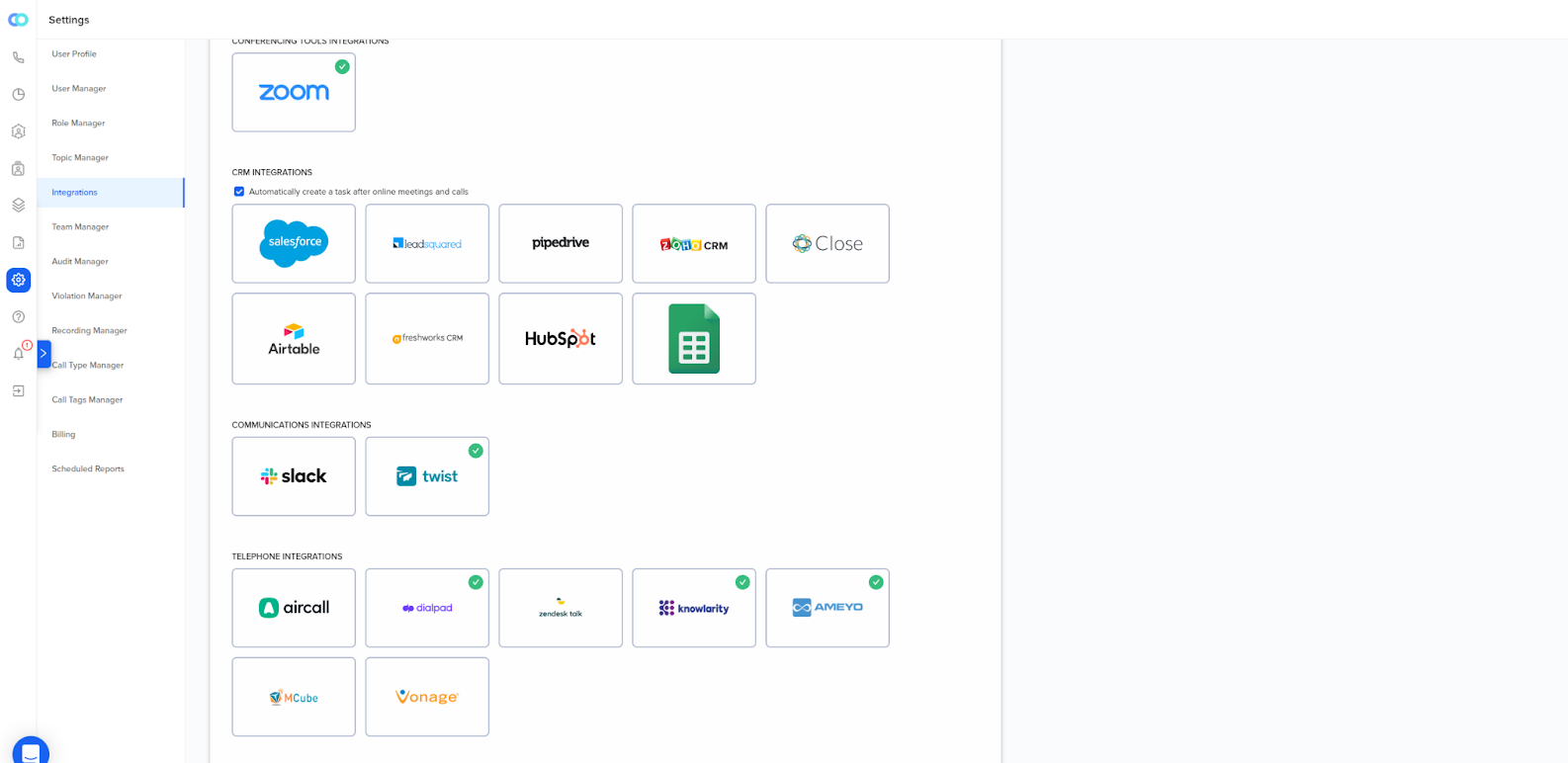
  3. Then go to ‘Integrations’ and look for ‘Zendesk’ under ‘Telephone Integrations’
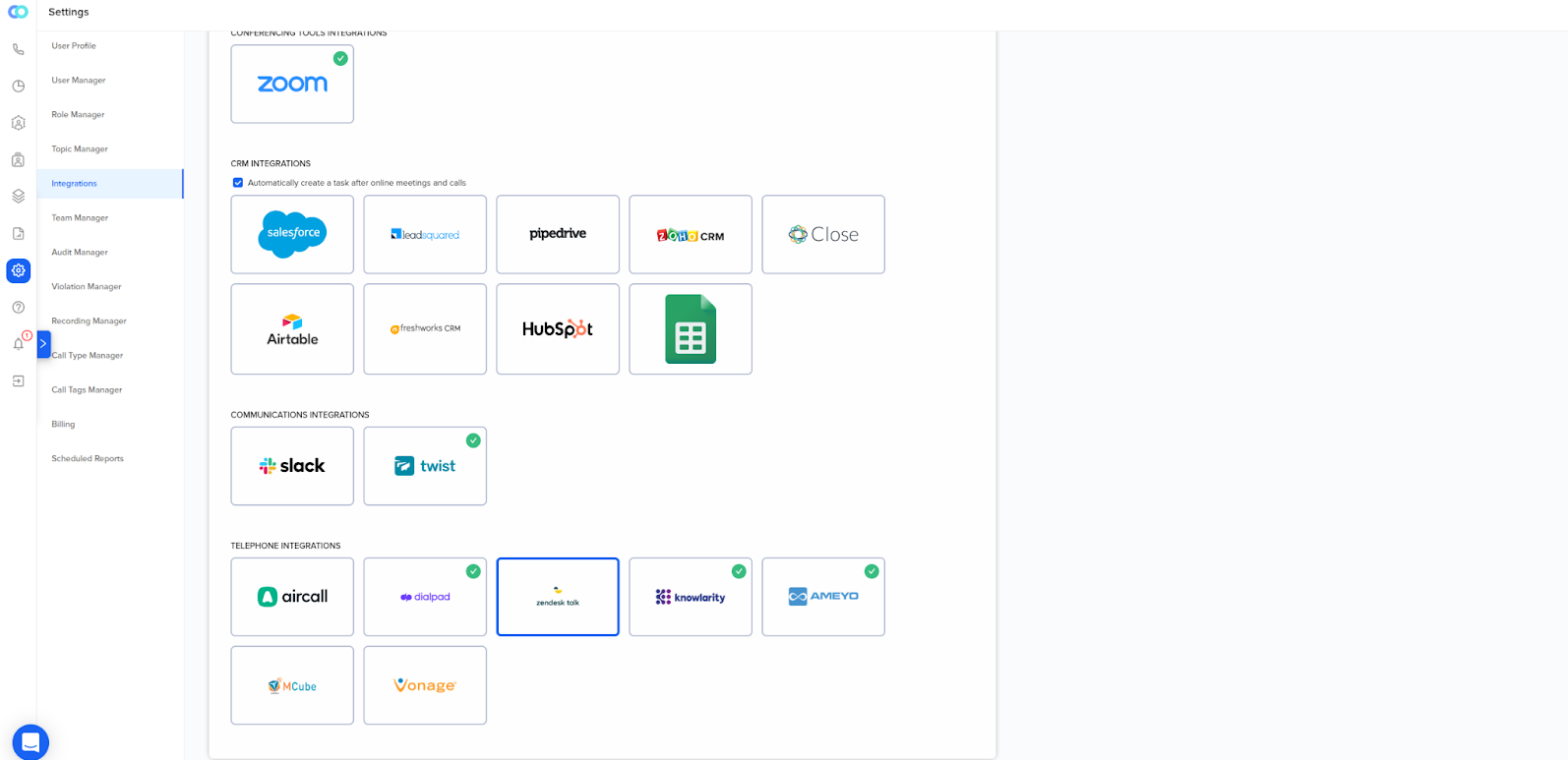
  1. Click ‘Connect’ on Zendesk Integration.
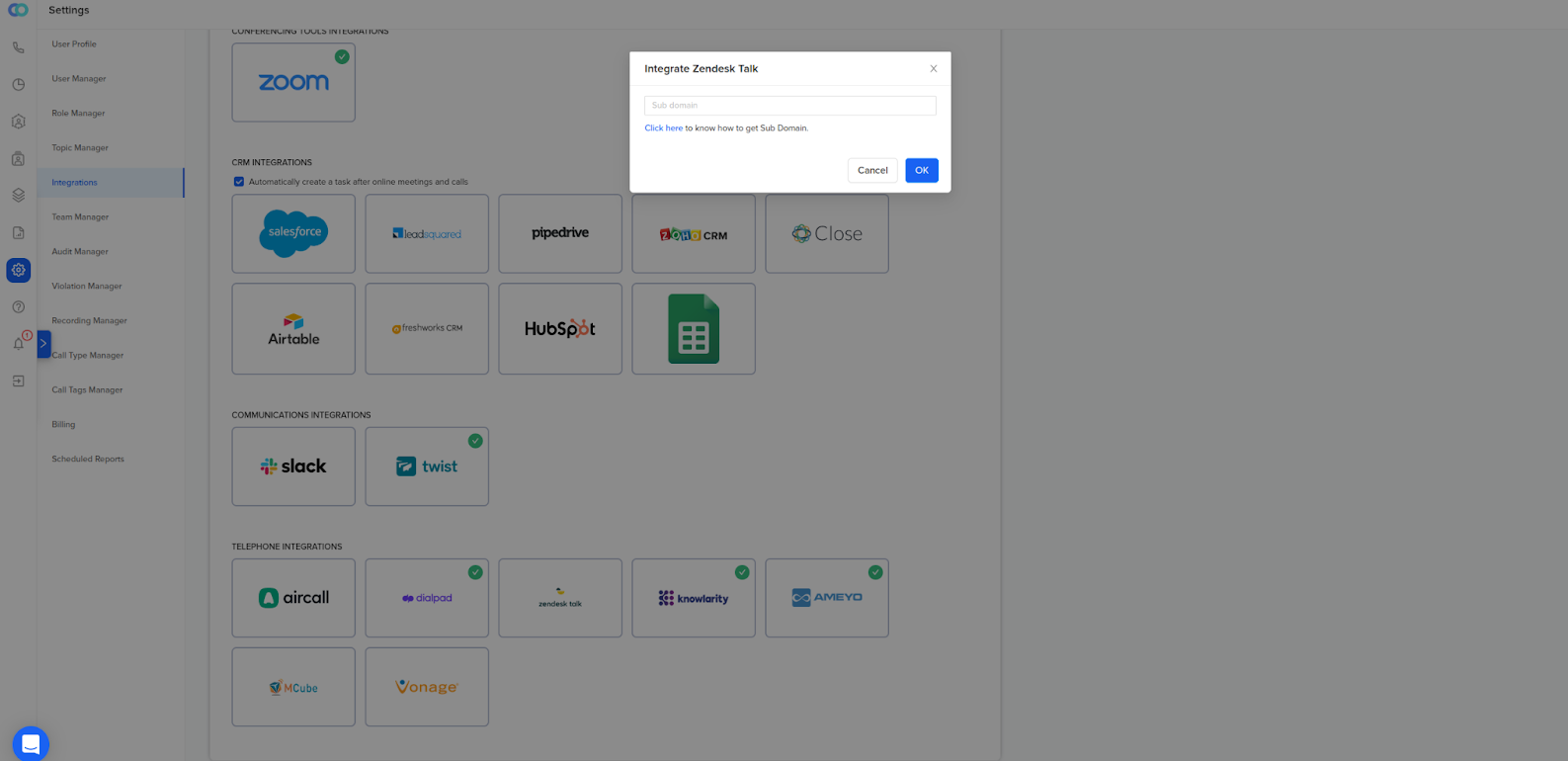
  1. Once you’ve clicked connect, a popup will appear. All you have to do is enter your subdomain. And, click ‘OK’. 
  1. If you’re logged into Zendesk, you’re good to go. But, if you’re not, you will have to authorize Callveriq from your Zendesk dashboard. And that’s about it. You’re all set.
  1. In case you want to disconnect the Integration. Go to the Integrations page and click ‘Disconnect.’
    ‍

If you have trouble setting this up for your use case, please contact us at ceo@callveriq.com.

More available integrations

Transform Customer Conversations with Callveriq’s AI Agent Platform

This is some text inside of a div block.
Valid number
Please enter the correct email.
Thank you for booking a demo.
Oops! Something went wrong while submitting the form.
Book a Demo
Book CTA imag decorative