

Thank you for booking a demo.
Oops! Something went wrong while submitting the form.
Book a Demo

Callveriq offers a native two way integration to update & fetch data from HubSpot . In just two clicks.
Callveriq saves your time by pushing all your sales calls directly to HubSpot to give you an unparalleled view of how your reps interact with customers on calls.
How to enable Callveriq X HubSpot integration?
1. Log into the Callveriq dashboard.
2. Go to the ‘Settings’ section on the left panel.
3. Then go to ‘Integrations’ and look for ‘HubSpot’ under ‘CRM Integrations’
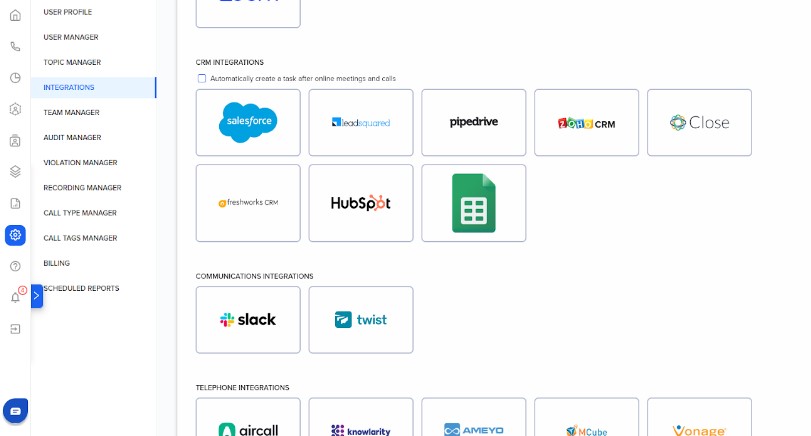
4. Click ‘Connect’ on HubSpot Integration.
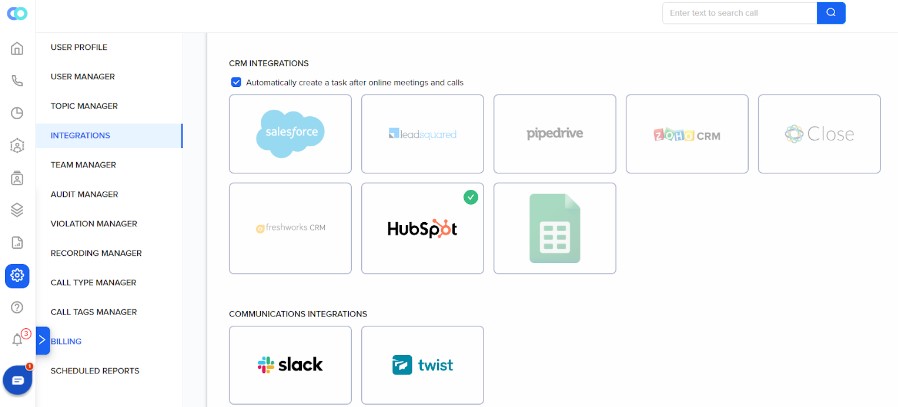
5. You’ll now be redirected to the permissions page on the HubSpot dashboard. Click on ‘Connect App’ and that’s about it.
You’re all set.
6. In case you want to disconnect the Integration. Go to the Integrations page and click ‘Disconnect’.
If you have any trouble setting this up for your use case, please contact us at ceo@callveriq.com.