


Thank you for booking a demo.
Oops! Something went wrong while submitting the form.
Book a Demo

Callveriq integrates with Zoom to record your meetings automatically and then analyse them.
Callveriq integrates seamlessly with major web conferencing tools like Zoom to record your meetings and give you data-backed insights. Once you’ve integrated Zoom with Callveriq, you don’t have to worry about taking call notes or missing out on critical key points - Callveriq will record, transcribe, and analyze all your calls. It also identifies coaching opportunities and notifies you about your risks in must-win deals.
With Callveriq X Zoom integration, you can:
How to enable Callveriq X Zoom integration?
1. Log into the Callveriq dashboard.
2. Go to the ‘Settings’ section on the left panel.
3. Then go to ‘Integrations’ and look for ‘Conferencing tools Integrations’
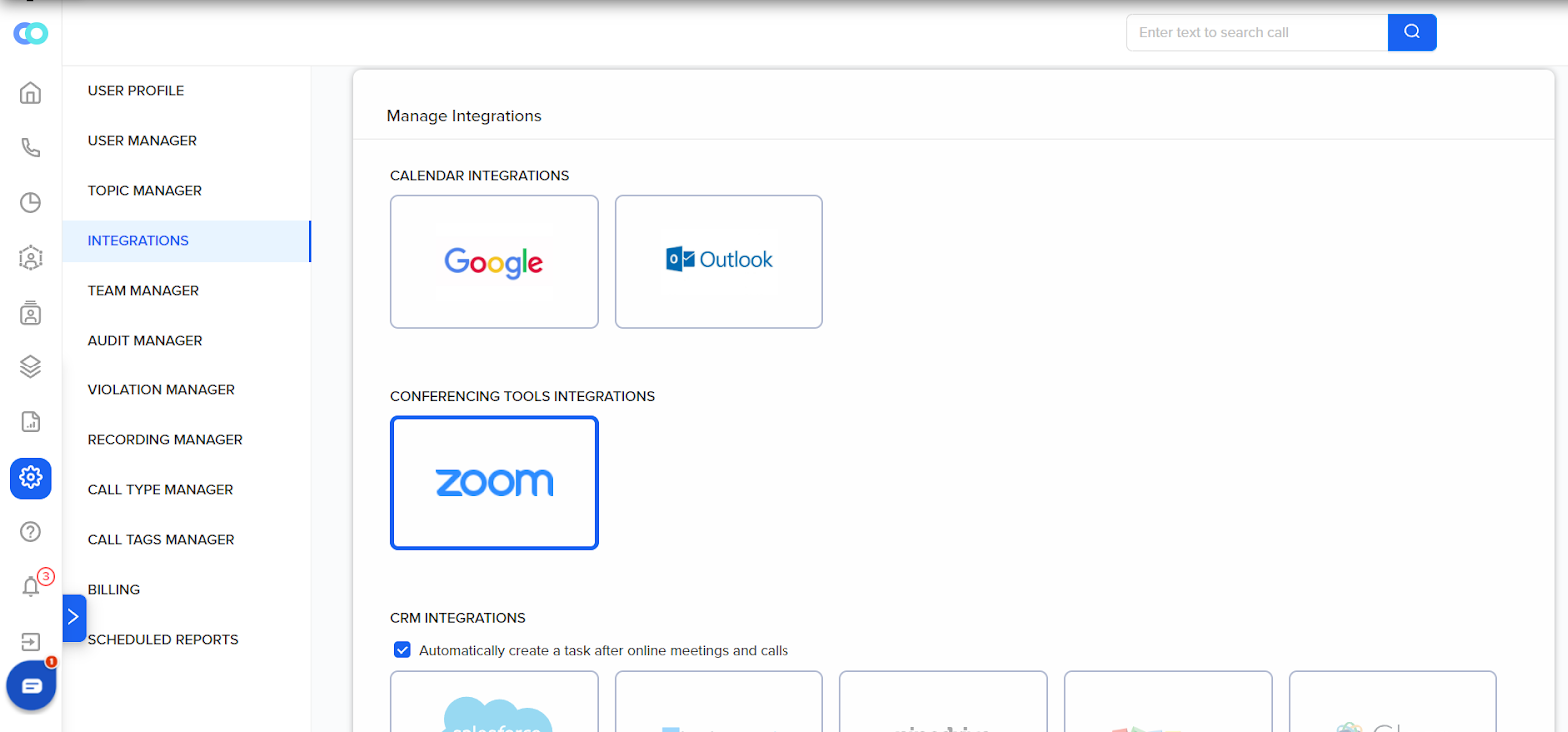
4. Click on ‘Zoom’. You’re all set.
5. In case you want to disconnect the Integration. Go to the Integrations page and click ‘Disconnect.’
If you have any trouble setting this up for your use case, please contact us at ceo@callveriq.com