

Every time you call a bank, a delivery service, or a support line and hear "your call is important to us," you're interacting with call center software. It's the invisible layer that decides which agent picks up, what information they see, and whether your call gets recorded, routed, or resolved on the spot.
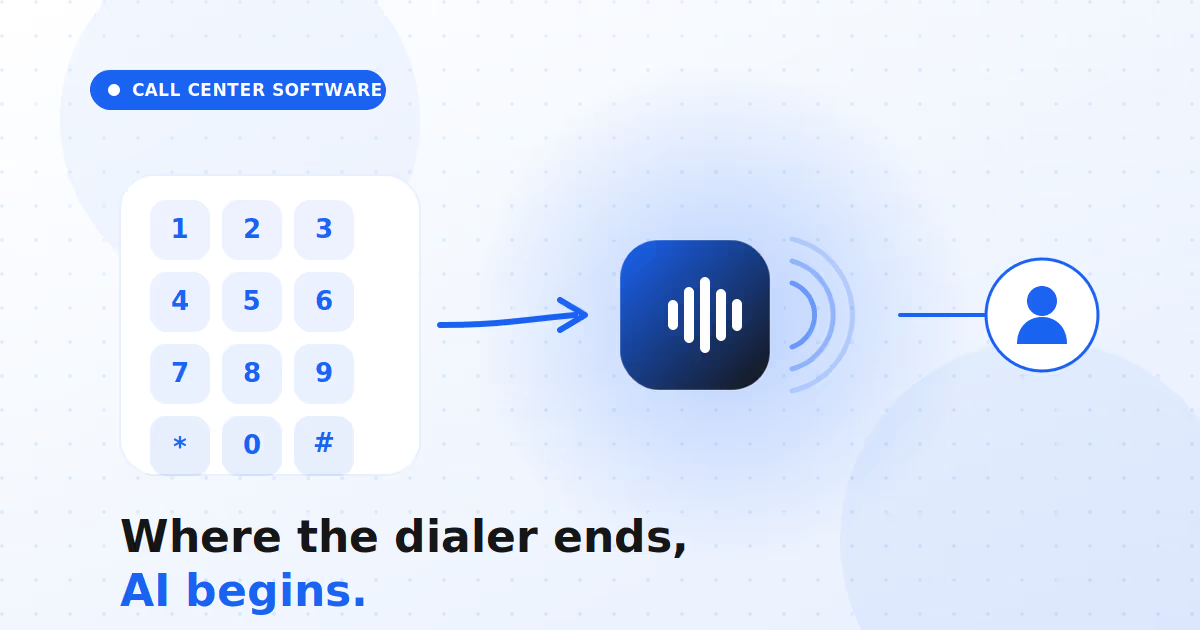
For most of its history, that software was defined by one thing: the dialer. Connect a human agent to a human caller, as efficiently as possible. That was the job. And for a long time, it was enough.
It isn't anymore. Customer expectations have outgrown the "connect and hope" model, and the technology has caught up. Today's call center software is less a phone system and more an intelligence layer, one that increasingly includes AI voice agents capable of handling entire conversations without a human on the line. This post walks through what call center software is at its core, and how it's quietly evolved far beyond the dialer that started it all.
See Modern Call Center Software
What Is Call Center Software?
At its simplest, call center software is the technology a business uses to manage high volumes of inbound and outbound customer calls. But "manage calls" hides a lot of moving parts, and understanding them is the key to understanding everything that comes later.
The Core Definition
Call center software is a platform that handles the full lifecycle of a customer call: placing or receiving it, routing it to the right person or system, giving that agent the context they need, and capturing what happened for later. It's the difference between a room full of people with desk phones and a coordinated operation that can scale.
Think of it as three jobs bundled together:
- Connect - get the call to the right agent or bot.
- Assist - give whoever answers the context to resolve it.
- Record - capture the interaction for quality, compliance, and insight.
Key Components Inside It
Under the hood, most call center software shares a common set of building blocks:
- Automatic Call Distribution (ACD) - routes incoming calls based on rules.
- Interactive Voice Response (IVR) - the "press 1 for billing" menu.
- Dialers - automate outbound calling so agents don't dial by hand.
- Call recording and analytics - capture and analyze every conversation.
- CRM integration - pull customer history into the agent's screen.
On-Premise Vs Cloud
The older model ran on hardware physically installed in your building. The modern model runs in the cloud, accessed through a browser. The shift matters because cloud platforms scale instantly, support remote agents, and update automatically, a transition Callveriq breaks down in its guide to cloud-based call center software. For most growing teams, cloud is now the default rather than the upgrade.
Explore Cloud Call Center Software
What Does The Dialer Do?
The dialer is the piece most people picture when they think "call center." It's the engine of outbound calling, and for inbound, its cousin ACD does the routing. Understanding it clarifies exactly where traditional software ends and AI begins.
Types Of Dialers Explained
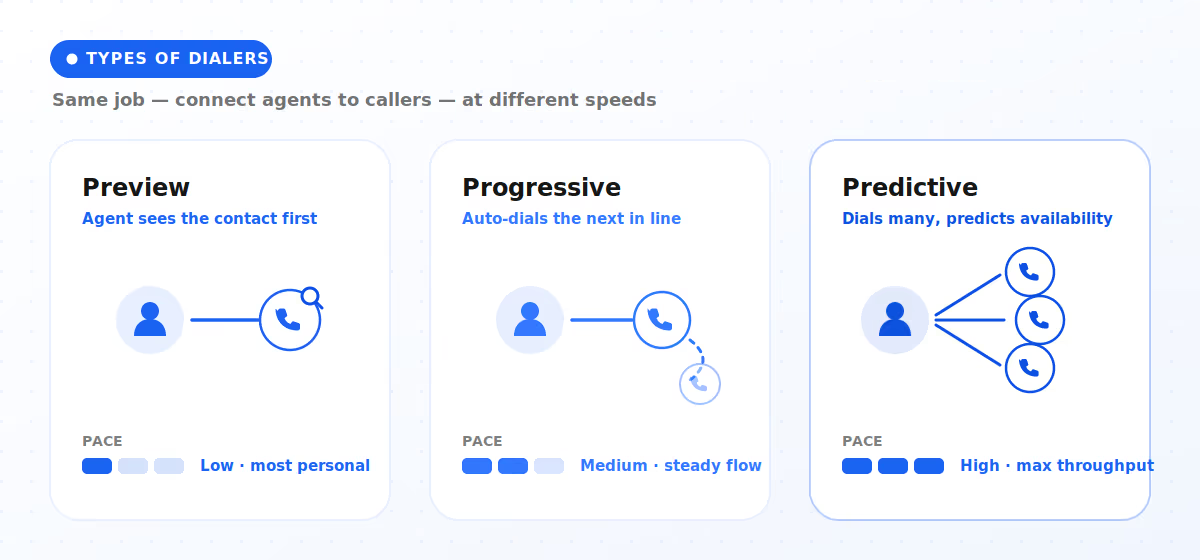
Not all dialers work the same way. The main types trade off speed against the customer experience:
- Preview dialer - shows the agent the contact before dialing; slow but personal.
- Progressive dialer - dials the next number as soon as an agent is free.
- Predictive dialer - dials multiple numbers at once, predicting agent availability for maximum throughput.
Each exists to solve the same problem: keep agents talking, not waiting. Callveriq covers how modern systems sequence this outreach in its piece on the future of call cadence.
IVR And Call Routing
On the inbound side, IVR menus and ACD rules decide where a call goes. Done well, they get a customer to the right place fast. Done badly, they're the maze everyone complains about. Either way, their job is direction, pointing the call somewhere, not actually resolving it.
Where The Dialer Stops
Here's the crucial limit: a dialer connects, and an IVR directs, but neither converses. The moment a real conversation is needed, a human agent has always had to step in. That gap, between routing a call and actually handling it, is exactly where AI voice agents now live.
See What Comes After Dialers
This blog is just the start.
Unlock the power of Callveriq’s AI with a live demo.

What Are AI Voice Agents?
If the dialer's job was to connect people, the AI voice agent's job is to replace the need for a person on routine calls entirely. This is the single biggest shift in call center software in years.
Beyond Dialing And Routing
Unlike a static IVR that reads from a fixed menu, an AI voice agent understands natural speech and responds in kind. Callveriq notes that modern voice agents, powered by large language models and real-time data, can hold intelligent conversations, automate repetitive calls, and escalate to a human only when needed, rather than replacing agents entirely. It's the difference between a menu and a conversation.
Handling Calls End-To-End
The practical payoff is that AI voice agents can carry an interaction from hello to resolution. Callveriq's AI Phone Calls handle both inbound and outbound conversations at scale, qualifying leads, sending payment reminders, booking appointments, and answering FAQs in natural language. Callveriq reports outcomes like up to 90% automation in routine call handling, freeing human agents for the calls that actually need them.
Working Alongside Human Agents
Importantly, this isn't a replace-everyone story. The realistic model is a split: AI voice agents take the high-volume, repetitive load, while humans focus on complex, emotional, or high-value conversations. Callveriq frames this blended approach in its overview of AI-powered call centers, where automation and human expertise reinforce each other rather than compete.
Watch AI Voice Agents Work
Which Features Actually Matter Most?
Once you look past the dialer, call center platforms start to differ in ways that genuinely affect outcomes. When you're evaluating options, a handful of capabilities separate a modern platform from a glorified phone system.
Automation And Self-Service
The biggest lever is how much routine work the software can handle on its own. Look for automated call handling, self-service resolution, and voice automation that deflects volume before it ever reaches an agent, the throughline in Callveriq's breakdown of contact center automation.
Real-Time Analytics
Modern platforms don't just record calls, they analyze them as they happen. The features worth prioritizing:
- Live transcription of every conversation.
- Sentiment analysis to flag frustration in the moment.
- Real-time agent guidance so reps get help mid-call, not after.
Integrations And Scalability
Finally, the software has to fit the rest of your stack and grow with you:
- CRM and helpdesk integrations so context follows the customer.
- Cloud scalability to absorb seasonal spikes without new hardware.
- Multichannel reach across voice, chat, and more from one platform.
Callveriq's roundup of AI phone call platforms is a useful reference for how these capabilities stack up in practice.
Compare The Features That Matter
How Do You Choose Software?
There's no single "best" call center software, only the best fit for your team's size, goals, and workflows. A little structure makes the decision far less overwhelming.
Match Tools To Goals
Start with the outcome you're actually chasing, then work backward to features:
- More sales conversations? Prioritize dialers and AI lead qualification.
- Faster support resolution? Prioritize routing, self-service, and analytics.
- Tighter compliance? Prioritize recording and automated quality monitoring.
Cloud Vs On-Premise Fit
For most modern teams, especially with remote or hybrid agents, cloud wins on flexibility and cost. On-premise still suits organizations with strict data-residency or legacy-integration needs. Callveriq's look at enterprise contact center solutions is a helpful lens if you're weighing scale against control.
Questions To Ask Vendors
Before you commit, pressure-test every shortlist option with the same questions:
- Does it include AI voice agents, or just a dialer and IVR?
- How does it handle real-time analytics and agent guidance?
- What does scaling up actually cost as call volume grows?
Find Your Right-Fit Software
The Bottom Line On Call Center Software
Call center software started as a way to connect two people on a phone line as efficiently as possible. That's still the foundation, dialers, IVR, and routing remain the plumbing every operation runs on. But treating the dialer as the whole picture is like judging a smartphone by its ability to make calls.
The real story now is what sits on top: cloud delivery that scales on demand, analytics that turn conversations into insight, and AI voice agents that handle entire calls without a human ever picking up. The dialer connects; the AI converses. For any team weighing its options in 2026, the question is no longer "how fast can it dial?", it's "how much of the conversation can it actually handle?"
FAQs
1. What is call center software?
It's the technology a business uses to make, receive, route, and record customer calls at scale, bundling tools like dialers, IVR, call recording, and analytics into one platform.
2. What's the difference between a dialer and call center software?
The dialer is one component, the engine that automates outbound calling. Call center software is the whole platform, which also handles routing, context, recording, and increasingly AI.
3. What is an AI voice agent?
An AI voice agent is software that understands natural speech and holds real conversations with callers, qualifying leads, answering questions, or resolving routine calls end to end, escalating to a human only when needed.
4. Is cloud call center software better than on-premise?
For most teams, yes, cloud scales instantly, supports remote agents, and updates automatically. On-premise still fits organizations with strict data-residency or legacy needs.
5. Do AI voice agents replace human agents?
No. They handle high-volume, repetitive calls so human agents can focus on complex, emotional, or high-value conversations, a blended model, not a full replacement.